VIT Attendance % Calculator
Attendance Performance Trend
Classes Breakdown
⏬ Similar University Calculator ⏬
| LPU Attendance Calculator | PSIT Attendance Calculator |
| KLU Attendance Calculator | SRM Attendance Calculator |
Calculate your VIT attendance percentage instantly with this free online tool. Check if you meet the 75% requirement and avoid detention. Works for all VIT campuses!
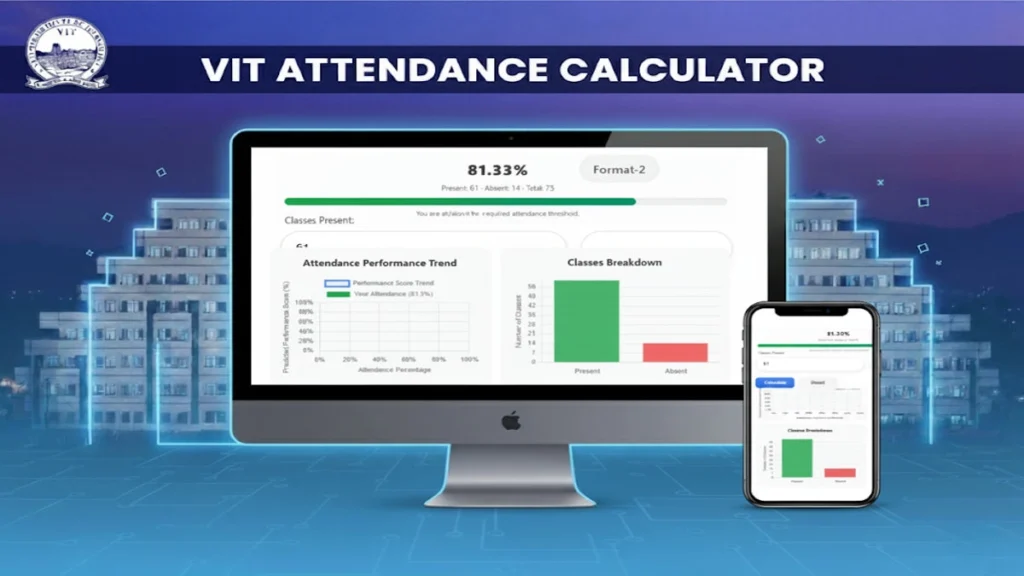
VIT Attendance Calculator: Check Percentage, Safe Bunks, and 75% Eligibility
Maintaining minimum 75% attendance is crucial for VIT students to avoid academic penalties. The VIT Attendance Calculator helps students track their attendance percentage in real-time, ensuring they meet university requirements.
Overview
The VIT Attendance Calculator helps students at Vellore Institute of Technology quickly check:
- Your current attendance percentage
- Whether you meet the 75% eligibility threshold
- How many classes you can safely miss (“safe bunks”)
- How many classes you must attend to reach 75%
- Projected attendance if you miss X more classes
It’s designed for fast, mobile-friendly use and mirrors how VIT tracks attendance in most courses. Always verify your department’s latest rules, especially for OD/medical leave.
Quick Answers
- Formula (Format‑1): Attendance % = Present ÷ (Present + Absent) × 100
- Formula (Format‑2): Attendance % = Present ÷ Total × 100
- Safe bunks you can still take (and remain ≥75%): floor(Present ÷ 0.75 − Total So Far)
- Classes you must attend (if you’re below 75%): ceil(max(0, 3 × Total So Far − 4 × Present))
Note: “Total So Far” = Present + Absent.
Why 75% Matters at VIT
- In most VIT programs, you must maintain at least 75% attendance to be eligible for key assessments. Falling below typically leads to ineligibility for the final assessment and other penalties, as per academic regulations.
- OD (On Duty) and medical leave policies may vary; check your School/Dean’s circulars and the latest academic handbook.
How to Calculate Your Attendance (Two Formats)
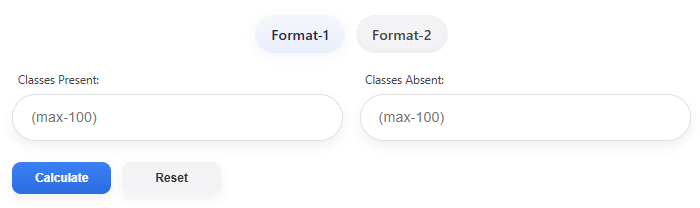
Format‑1 (Present + Absent up to 100 classes)
- Inputs: Classes Present (0–100), Classes Absent (0–100)
- Formula: Attendance % = Present ÷ (Present + Absent) × 100
- When to use: Quick estimates over the last 50–100 classes or when you don’t have a fixed total.
Format‑2 (Total Classes is known)
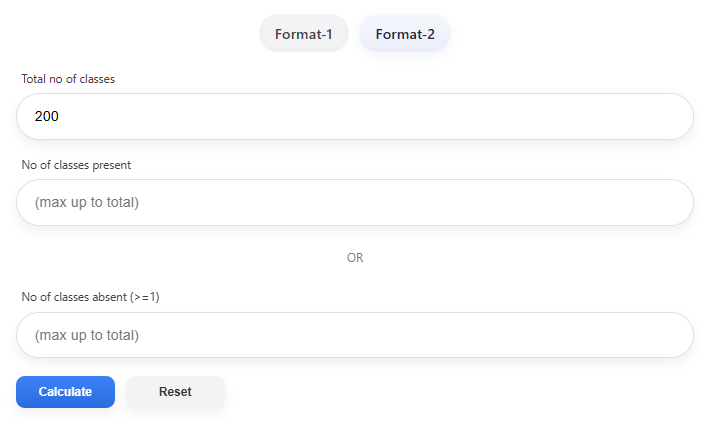
- Inputs: Total Classes (e.g., 60, 80, 200), Classes Present (or Classes Absent)
- Formula: Attendance % = Present ÷ Total × 100
- When to use: When your course shows an exact total or you are planning the full semester’s attendance.
Real Examples (Step‑by‑Step)
Example 1: Format‑1 (Present & Absent)
- Present = 68, Absent = 22
- Attendance % = 68 ÷ (68 + 22) × 100 = 68 ÷ 90 × 100 = 75.56%
- Result: You meet the 75% threshold.
Example 2: Format‑2 (Known Total)
- Total = 200, Present = 154
- Attendance % = 154 ÷ 200 × 100 = 77%
- Result: Safe (≥75%).
Example 3: Projected Attendance (If I miss X more classes)
- Current: Total So Far = 80, Present = 60 (Attendance = 60 ÷ 80 × 100 = 75%)
- If you miss 5 more classes: new total = 80 + 5 = 85, present still 60
- New Attendance = 60 ÷ 85 × 100 ≈ 70.59% (below 75%) → risky
Safe Bunks and Recovery Plans (Student Perspective)
1. How many more classes can I miss and still stay ≥75%?
- Safe Bunks = floor(Present ÷ 0.75 − Total So Far)
- Example: Present = 90, Total So Far = 110 → floor(90 ÷ 0.75 − 110) = floor(120 − 110) = 10
- You can miss up to 10 more and remain ≥75% (not accounting for future lab/tutorials weightings).
How many classes must I attend to get back to 75%?
- Required Classes to Attend = ceil(max(0, 3 × Total So Far − 4 × Present))
- Example (below 75%): Present = 45, Total So Far = 70 → 3×70 − 4×45 = 210 − 180 = 30 → Attend at least 30 in a row to reach 75%.
- Should I input decimals?
- Use whole numbers for class counts. Percentages can be decimals; class counts should not.
Color Meaning (Progress Bar/Graph)
- Green (≥75%): You’re safe
- Orange (50–74%): Caution — you’re close to the threshold
- Red (<50%): At risk — plan recovery quickly
How to Use the VIT Attendance Calculator
- Choose Format‑1 if you only know Present and Absent counts.
- Choose Format‑2 if you know Total and either Present or Absent.
- Use Projected mode (if available) to test: “What happens if I miss X more?”
- Read the color-coded results and “safe bunks” suggestion.
- If you’re below 75%, use the “classes to attend” formula to plan recovery.
Tips to Stay Safely Above 75%
- Track weekly: Enter attendance after each week or lab cycle.
- Avoid streaks of absences: Even 2–3 consecutive missed labs can pull you under 75%.
- Use OD/medical policies correctly: Follow documentation rules so eligible sessions aren’t counted as absent.
- Plan around assessments: Keep a buffer (e.g., 78–82%) before midterms/end-terms.
Common Mistakes to Avoid
- Mixing up Present vs Absent
- Ignoring labs/tutorials: If components have equal weight in counting sessions, absences there still reduce your percentage.
- Not planning for holidays or reschedules
- Assuming 74.9% is “close enough” — it typically isn’t for eligibility checks.
FAQ (People Also Ask)
Q1: What is the minimum attendance required at VIT?
Most programs require at least 75% attendance to be eligible for final assessments. Always confirm with the latest academic handbook.
Q2: How do I calculate my VIT attendance?
Use Attendance % = Present ÷ (Present + Absent) × 100 (Format‑1) or Present ÷ Total × 100 (Format‑2).
Q3: How many classes can I bunk and still stay above 75%?
Safe Bunks = floor(Present ÷ 0.75 − Total So Far). Keep a buffer above 75% before deciding to miss classes.
Q4: I’m at 72%. How many classes must I attend in a row to reach 75%?
Required Classes = ceil(max(0, 3 × Total So Far − 4 × Present)). Attend that many consecutively to recover.
Q5: Do OD/Medical leaves count as present?
Policies vary by school and semester. Typically, approved OD/Medical may not be counted as absent, but always follow official procedures and confirm in your SIS/circulars.
Q6: Can I predict my final attendance if I miss X more classes?
Yes. Projected Attendance = Present ÷ (Current Total + Future Absences) × 100.
Why Students Love This Calculator
- “Tells me instantly if I’m safe to miss tomorrow’s class.”
- “Gives a number for how many classes I must attend to fix my percentage.”
- “The progress bar and color make it easy to understand at a glance.”
- “Projected mode is perfect when I’m planning around exams or events.”
Check this also
- Semester Planner / Time‑Table Calculator (plan study hours)
- CGPA Calculator (track academic performance)
- Grade Calculator (estimate grades alongside attendance)
For Vitians
- VIT Official Site: https://vit.ac.in (check Academics/Regulations)
- Department circulars and the current Academic Handbook (links may change by year/campus)